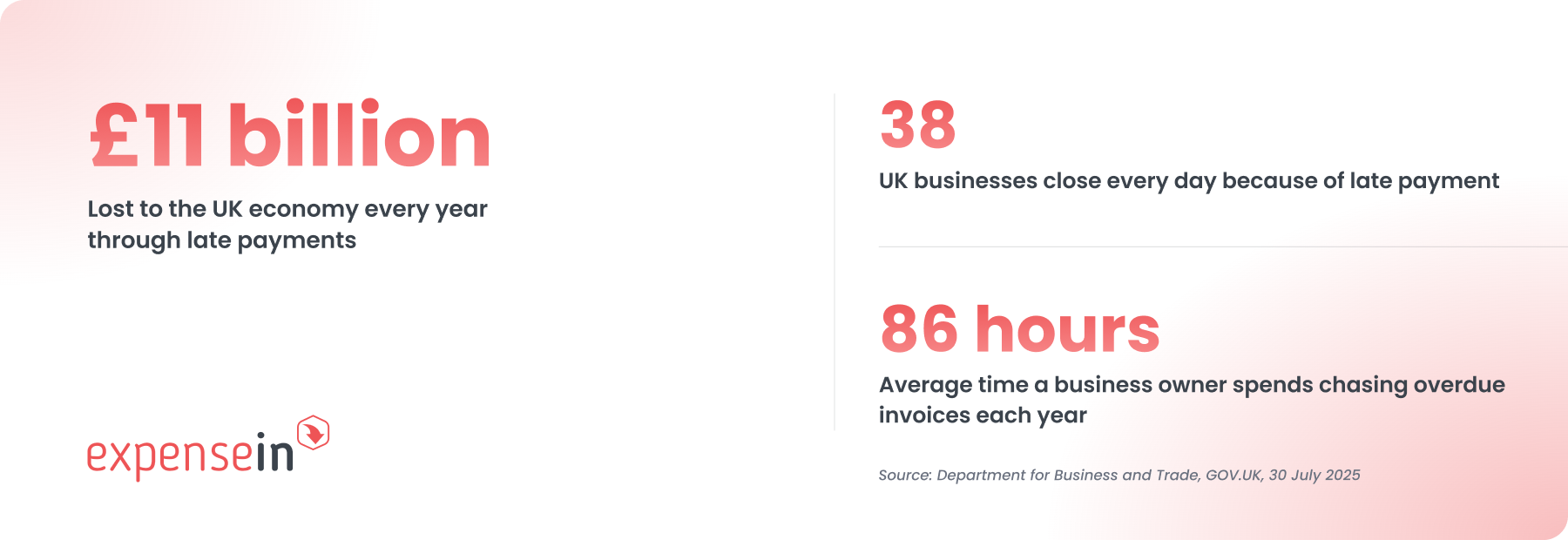
Late payments cost the UK economy about £11 billion a year, and close down an estimated 38 businesses every day, according to the Department for Business and Trade. Business owners affected by late payment spend an average of 86 hours a year chasing invoices that should already have been settled.
Some of that chasing happens on the customer side, when your own invoices go unpaid.
A good deal of it also happens on the supplier side, inside your own finance team, when invoices arrive by email, sit in an inbox, get chased for coding, and slow down month-end.
A supplier invoice management system exists to fix that second problem. This guide covers what one is, how the workflow runs, where manual processing breaks down, and how to choose and roll one out.
What is a supplier invoice management system?
A supplier invoice management system is software that manages the invoices your business receives from the suppliers and vendors you buy from. It captures each invoice, checks it, routes it for approval, and prepares it for payment.
This sits on the accounts payable side of finance, not the accounts receivable side. It's also a different process from employee expenses, which cover what your own staff spend on business travel, meals, or other business costs.
A supplier invoice management system deals with what your business owes to the businesses it buys from, not what it owes its own people.
"Supplier" or "vendor" invoice: Does the wording matter?
Not really. A supplier invoice and a vendor invoice describe the same document, from the same kind of relationship.
"Vendor" is the more common term in US-built software and US finance job titles.
"Supplier" is the term UK finance teams use day to day, and the one you'll see across UK accounting and procurement systems.
How supplier invoice management works, step by step
A supplier invoice management system takes an invoice through eight stages before it ever reaches the payment run.
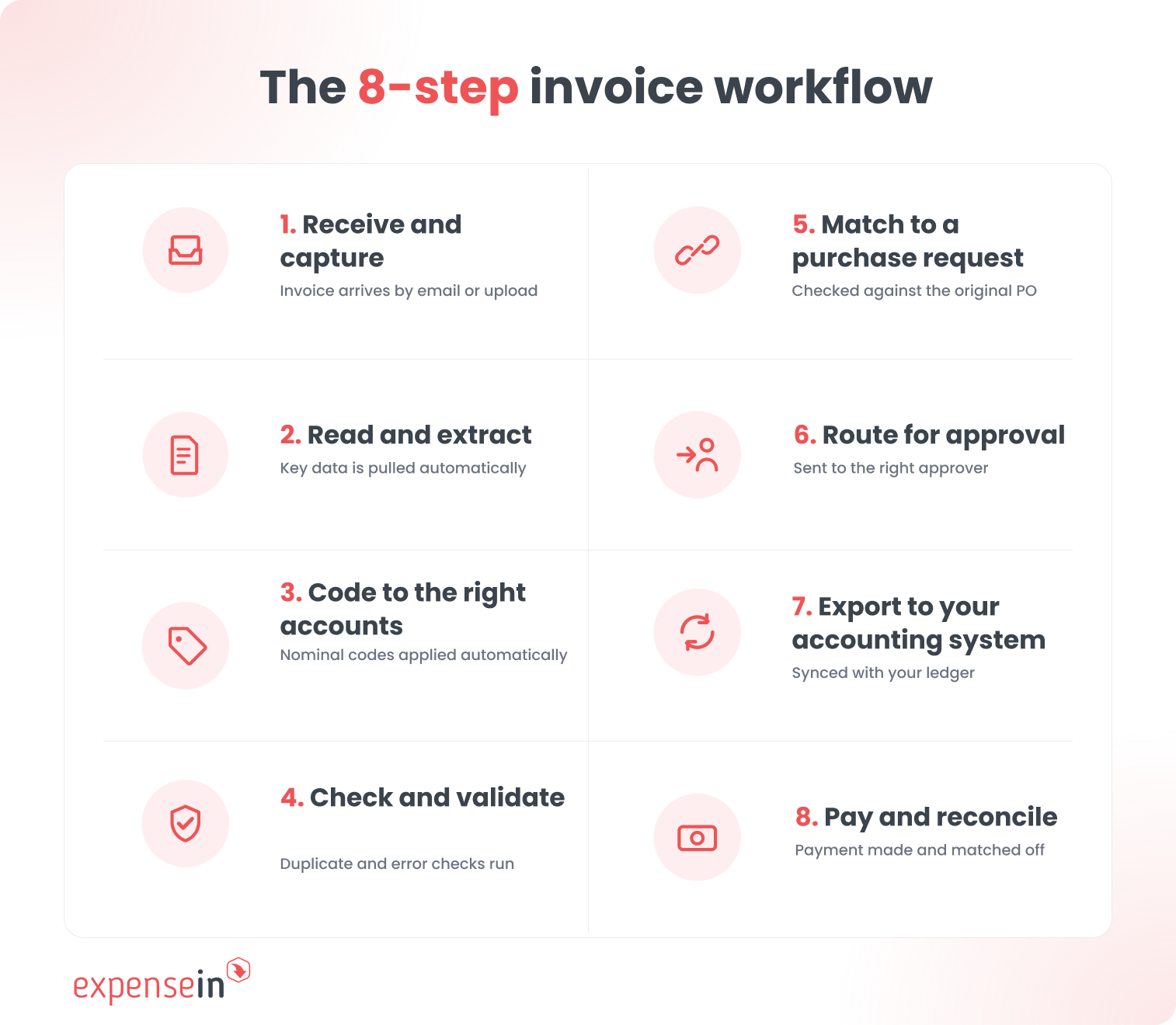
Receive and capture. The invoice arrives by email, upload, or a scanned copy, and is pulled into the system automatically rather than saved to a shared drive.
Read and extract. OCR (optical character recognition) reads the supplier name, invoice number, date, VAT and total, so nobody has to retype them.
Code to the right accounts. The invoice is coded to the correct nominal code, cost centre, project, or department.
Check and validate. The system checks for duplicates, missing VAT numbers, or figures that do not add up.
Match to a purchase request. The invoice is checked against the purchase request or order it relates to.
Route for approval. The invoice moves automatically to the right approver, based on value, department, or spend policy.
Export to your accounting system. Once approved, the coded invoice is sent to Sage, Xero, QuickBooks, AccountsIQ, or your accounting platform of choice.
Pay and reconcile. Payment and bank reconciliation happen inside your accounting system, using the data the invoice management tool has already prepared.
Where it goes wrong: The real cost of manual invoice processing
Manual invoice processing costs more than it looks like it does.
The UK-wide numbers hint at the scale: late payments cost the UK economy about £11 billion a year, and close 38 businesses a day. A slow, manual invoice process on your own side of the ledger is one of the everyday causes that adds up to that national total.
The chasing itself has a cost too.
FSB research found that 63% of small businesses spend real time chasing overdue payments, and 60% say late payments are holding back their growth. That time comes from somewhere, and a manual supplier invoice process is often where finance teams lose it first.
Inside a single finance team, manual processing tends to fail in the same handful of ways:
Invoices get lost or duplicated in a shared inbox with no single owner.
Approvals stall when an approver is on leave or an invoice sits unopened.
Coding errors creep in when invoices are keyed in by hand.
Fraud risk rises without a clear approval trail or duplicate check.
Month-end drags on while finance chases missing invoices and unresolved queries instead of closing the books.
Invoice matching explained: 2-way vs 3-way
Invoice matching checks whether a supplier invoice agrees with the records behind the purchase before finance approves it for payment.
The difference between two-way and three-way matching is the number of records being checked.
Matching method | Records compared | Main question |
|---|
Two-way matching | Invoice and purchase order | Did the supplier invoice us for what we agreed to buy? |
Three-way matching | Invoice, purchase order and goods receipt or service confirmation | Were we invoiced correctly, and did we receive what we are paying for? |
How 2-way matching works
Two-way matching compares the supplier invoice with the purchase order.
Finance typically checks details such as:
If the invoice agrees with the purchase order (or falls within an accepted tolerance), it can move forward.
If not, finance investigates the difference before payment.
How 3-way matching works
Three-way matching adds evidence that the goods or services were received.
It compares:
The purchase order: what the business agreed to buy
The invoice: what the supplier is asking to be paid
The receipt record: what the business confirms it received
That third record might be a goods received note, product receipt, delivery confirmation, or service entry record.
The extra check helps identify situations where a supplier invoices for more than was delivered, or invoices before receipt has been confirmed.
Which approach does your business need?
Choose three-way matching when you:
Buy physical stock in volume
Record goods as they arrive
Need to verify delivered quantities before payment
A purchase-request model may be enough when you:
Mainly buy services or overheads
Need spending approved before commitment
Do not operate a formal receiving process
Want invoices checked against approved budgets
ExpenseIn, for example, lets users submit purchase requests for approval and later assign invoices to those requests. Automated policies can check that an invoice does not exceed the approved request balance, while separate approval flows can be applied to requests and invoices.
For service-based organisations, that can provide the necessary control without adding a goods-receipt step that does not reflect how the business buys.
What to look for in a supplier invoice management system
A UK finance team evaluating options should look for:
Capture and OCR. Automatic extraction of supplier, date, VAT, and total from PDFs, scans, and emailed invoices.
Coding. Fast, accurate coding to nominal codes, cost centres, projects, or departments.
Approval workflows. Routing based on value, department, or policy, with clear visibility of where an invoice sits.
Purchase-request handling. The ability to raise, approve, and match against a purchase request before an invoice arrives.
Policy checks. Automatic flags for duplicates, missing information, or figures that fall outside policy.
Audit trail. A complete, timestamped record of who approved what, and when.
Reporting. Visibility of invoices by status, supplier, department, or ageing.
UK accounting integrations. Native, reliable export into AccountsIQ, Sage, Xero, or your accounting software of choice.
Software vs the payment run: Where invoices get paid
ExpenseIn manages the supplier invoice process up to the point of payment.
That includes:
 The supplier is then paid through your accounting, banking, or payment system.
ExpenseIn | Accounting and banking systems |
|---|
Captures the invoice | Records the approved liability |
Applies policies | Selects invoices for the payment run |
Routes approval | Applies payment authorisations |
Posts approved data | Transfers funds to the supplier |
This is an important distinction when comparing platforms.
Look beyond invoice scanning and check how cleanly approved data moves into the system responsible for payment.
 The 2029 UK e-invoicing mandate: What finance teams should do now
From April 2029, UK businesses will be required to use e-invoicing for VAT invoices issued in business-to-business and business-to-government transactions. The invoices will need to use a specified electronic format.
The direction is clear. Some of the practical detail is not.
The government has confirmed Peppol as the core interoperability network for the UK regime, but the complete implementation roadmap, technical standards, and transition arrangements are still being developed.
What will change in 2029?
An e-invoice is not simply an invoice sent by email.
It's structured data that can move electronically between a supplier’s and a buyer’s financial systems and be processed without someone manually re-entering the information.
Under the planned mandate:
VAT invoices will need to be issued in the required structured electronic format.
The requirement will cover business-to-business and business-to-government VAT invoicing.
Peppol will provide the core network through which systems can exchange invoice data.
Further implementation detail is expected in the government’s roadmap.
Will a PDF count as an e-invoice?
A PDF may be an electronic document, but it's not structured invoice data.
Under current VAT guidance, electronic invoices can include unstructured formats such as PDFs. The 2029 mandate, however, will require VAT invoices to be issued in a specified electronic format designed for automatic processing.
Finance teams should therefore not assume that emailing a PDF will satisfy the future requirement.
The practical distinction is:
Invoice format | Can a person read it? | Can accounting systems process it automatically? |
|---|
Paper or scanned image | Yes | Usually not without extraction or manual entry |
PDF attached to an email | Yes | Not necessarily |
Structured e-invoice | Yes, through software | Yes |
What is still being decided?
As of July 2026, the government has confirmed the April 2029 start date and Peppol’s role as the core interoperability network. It has not yet published every operational requirement businesses will need to follow.
Outstanding details may include:
The precise invoice data standard
Any exemptions or phased transition arrangements
How legacy systems will be handled
Software accreditation or provider requirements
Enforcement and compliance processes
Detailed onboarding guidance for smaller businesses
The government has said it will continue working with businesses, software providers, and professional bodies as the regime is developed.
What finance teams can do now
Map how purchase and sales invoices move through the business.
Identify where invoice data is manually rekeyed.
Ask accounting and invoice-software providers about their Peppol roadmap.
Clean supplier, customer, and VAT master data.
Move towards connected invoice approval and accounting workflows.
Avoid buying software based only on an unsupported “2029-ready” claim.
When comparing invoice platforms, ask how they plan to receive, validate, approve, and transfer structured invoice data.
How to choose the right system without overbuying
Start with where the process fails.
You may need a focused invoice management system if:
Invoices are difficult to track
Coding is inconsistent
Approvals stall
Spend happens without prior approval
Approved data is re-entered into accounting
You may need a broader AP or procure-to-pay platform if:
You buy physical stock in volume
Goods receipts must be checked before payment
Supplier onboarding is a major control
The payment run itself needs replacing
ExpenseIn is a strong fit when finance needs better control before payment but wants to keep its existing accounting and banking processes.
That's particularly relevant for service-led organisations managing purchase requests, supplier invoices, and multi-stage approvals without the need for formal stock receiving or payment execution.
Going from manual to automated: a realistic rollout
Don't automate a process before understanding where it breaks.
1. Map the current workflow
Record:
Where invoices arrive
Who codes and approves them
Where delays happen
How approved invoices reach accounting
Which steps rely on email or spreadsheets
2. Clean the data
Remove duplicate and inactive suppliers, then check your nominal codes, departments, projects, and cost centres.
3. Set the rules
Agree:
Who approves what
Which values trigger extra approval
Who provides absence cover
How policy exceptions are handled
Which purchases need prior approval
4. Test end to end
Use real invoice examples to test capture, coding, policy checks, approvals, and accounting posting.
Include duplicates, rejected invoices, and invoices with several coding lines.
5. Start small
Pilot the system with one team, entity, or supplier group. Fix routing, coding, and integration issues before rolling it out more widely.
A successful rollout is measured by whether finance, approvers, and employees can follow the new process without returning to inboxes and spreadsheets.
Supplier invoice management: Your questions answered
A supplier invoice management system is software that captures, codes, checks, and routes the invoices your business receives from its suppliers, then prepares them for payment through your accounting system.
None in practice. "Vendor" is the more common term in US software, and "supplier" is the more common term in UK finance.
2-way matching checks an invoice against its purchase order. 3-way matching adds a check against proof that the goods or services were received, and suits stock-based businesses in particular.
Not yet. It becomes mandatory for all VAT invoices from April 2029, exchanged in a structured format through the Peppol network, according to GOV.UK. The technical standard and full implementation detail are still being finalised.
No. It captures, codes, checks, and routes invoices for approval, then exports the approved invoice to your accounting system, where the payment run itself takes place.


