
Business Expenses
Expense Reimbursement in the UK: Rules, Tax, Receipts and Process
Learn how expense reimbursement works in the UK, what HMRC rules apply, what evidence to keep, and how finance teams can control claims and approvals.
This is a guest post written by Betty Katz, Senior Content Specialist at AccountsIQ.
It’s month-end.
Expenses are approved in one system. Card transactions are sitting in another. Supplier invoices are still in inboxes. The accounting system needs clean, coded data before finance can close the books.
Someone is about to spend several hours bridging the gap.
Finance system integration is designed to reduce that kind of manual clean-up. When expenses, approvals, and accounting systems work together properly, spend data can move through the right checks before it reaches the accounts.
That means fewer exports, fewer re-keying errors, and less time spent rebuilding the story behind the numbers.
Finance system integration connects the tools your finance team uses so that data can move between them with less manual work, fewer exports, and fewer re-keying errors.
In practice, that often means linking:
Company card data
The goal is to make sure spend is captured, checked, approved, and coded before it reaches the accounting system.
That way, finance isn’t discovering missing receipts, unclear approvals, or coding issues at month-end.
For expense-heavy organisations, the real test is simple: Does approved, policy-checked spend data reach accounting in a format finance can trust?
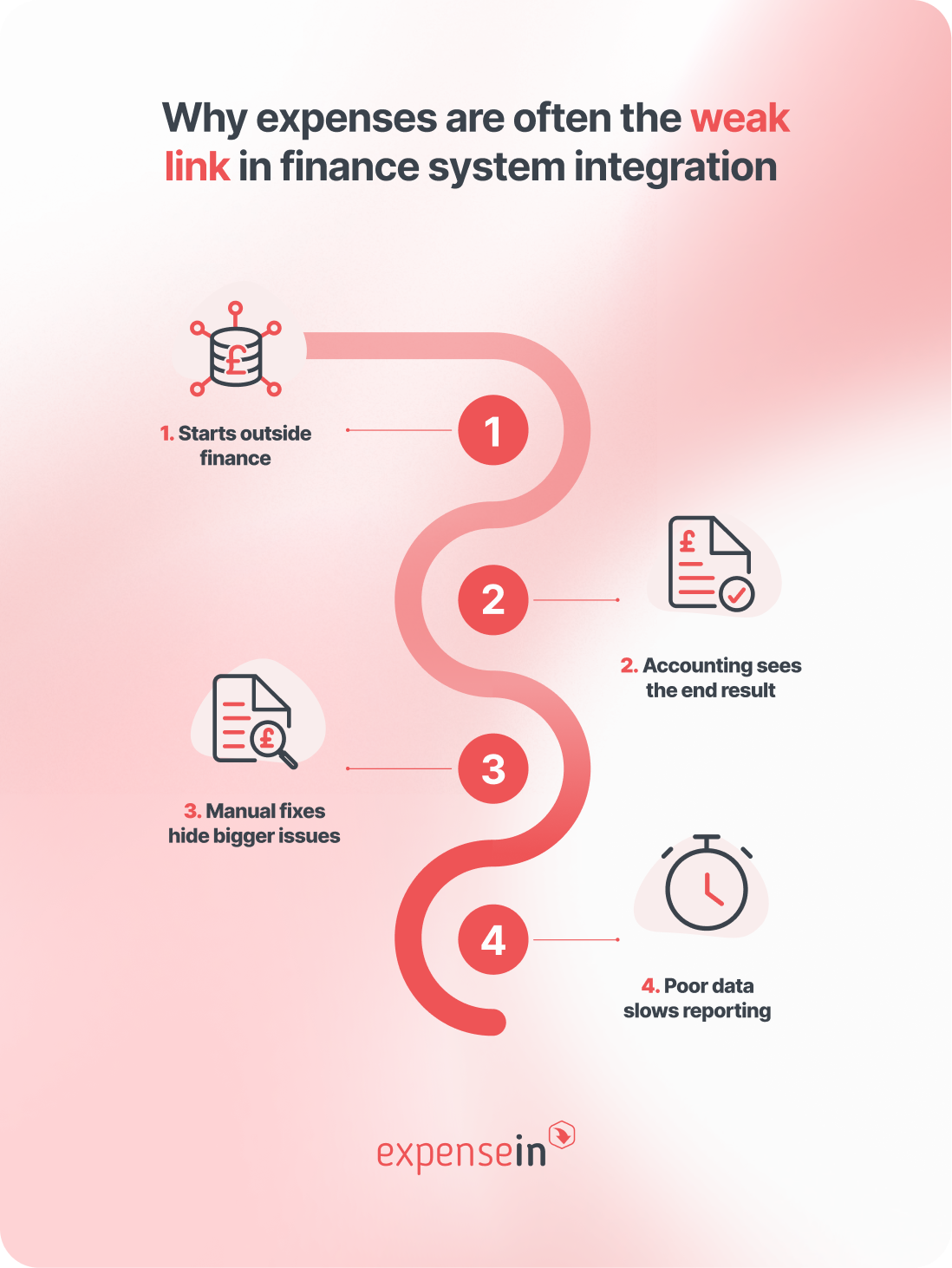 Expenses are awkward finance data.
They usually start outside the accounting system, with employees, managers, suppliers, expense card providers, and approval workflows all involved before finance sees the final transaction.
By the time that data reaches accounting, it may already have passed through several systems, inboxes and spreadsheets.
That is where the finance system integration often breaks down, because the data arriving in it is late, incomplete, or not coded in a way finance can use.
Most finance data doesn’t begin neatly in the general ledger.
An employee buys lunch for a client. A project manager approves mileage. A supplier invoice lands in an inbox. A business expense card transaction appears before the expense receipt has been uploaded.
Each of those moments creates data finance teams will eventually need. But before it can be posted, that data usually has to be checked, approved, coded, and matched to the right department, project, cost centre, or entity.
Every handoff creates room for delay or missing context.
By the time the spend reaches accounting, finance may only be seeing the final transaction value and coding.
The context behind it can sit somewhere else.
For example:
The receipt may be attached in the expense software, not the cloud accounting system
The approval trail may sit in an email thread
A policy exception may have been discussed informally
A VAT decision may have been corrected during import
A card transaction may have been matched manually after the fact
This makes reporting harder to trust because the numbers are separated from the evidence behind them.
A lot of finance teams are used to fixing expense data at month-end.
They correct nominal codes, chase receipts, adjust VAT treatment, rebuild exports, and match card transactions manually. The work gets done, so the process feels normal.
But those fixes are usually symptoms of a bigger issue: the expense workflow and accounting setup aren’t connected properly.
If finance has to clean the data every time it moves between systems, the integration isn’t doing enough. It’s moving the problem along rather than solving it earlier.
Late or badly coded expense data affects more than the expense process.
It can delay management accounts, distort project reporting, weaken budget visibility and make month-end close more manual than it needs to be. Finance teams end up spending time rebuilding the story behind the numbers instead of analysing what the numbers mean.
That’s why expense-to-accounting integration should not be treated as a technical convenience. It’s a control point.
Finance takeaway: If expense data needs cleaning every time it moves between systems, the integration is not solving the real problem.
The strongest finance system integration starts when spend is first captured.
If receipts, invoices, mileage, and card transactions are collected with the right information from the beginning, finance has less to fix later.
If checks only happen at the point of posting, the accounting system becomes the place where problems are discovered, not the place where clean data is reported.
The key principle is simple: Validation and approval should happen before data reaches accounting, not after.
Stage | What should happen | Why it matters |
|---|---|---|
1. Capture | Receipts, invoices, mileage, and card spend are captured as early as possible. | Finance has fewer missing documents to chase later. |
2. Validate | Policy, VAT, category, and receipt checks happen before posting. | Issues are caught while the context is still fresh. |
3. Approve | Spend follows the right approval route based on value, team, project, or policy. | Managers approve spend before it becomes an accounting clean-up task. |
4. Code | Data is mapped to the right nominal codes, cost centres, projects, departments, or entities. | Reporting is cleaner and month-end corrections are reduced. |
5. Sync | Approved, coded data moves into accounting with less manual export or re-keying. | Finance spends less time moving data between systems. |
6. Report | Finance can report by team, project, user, supplier, category, or entity. | Spend visibility improves because reporting dimensions are built in from the start. |
7. Review | Exceptions, failed syncs, and corrections are visible and owned. | Problems are resolved quickly instead of surfacing during reconciliation. |
For finance teams, the test is whether approved, coded, and supported spend data reaches accounting in a format finance can trust.
Connected accounting software is valuable when the right data moves between systems at the right point in the finance workflow.
For finance teams, the test is simple: can you trace spend from the original receipt, invoice, or card transaction through to approval, coding, posting, and reporting?
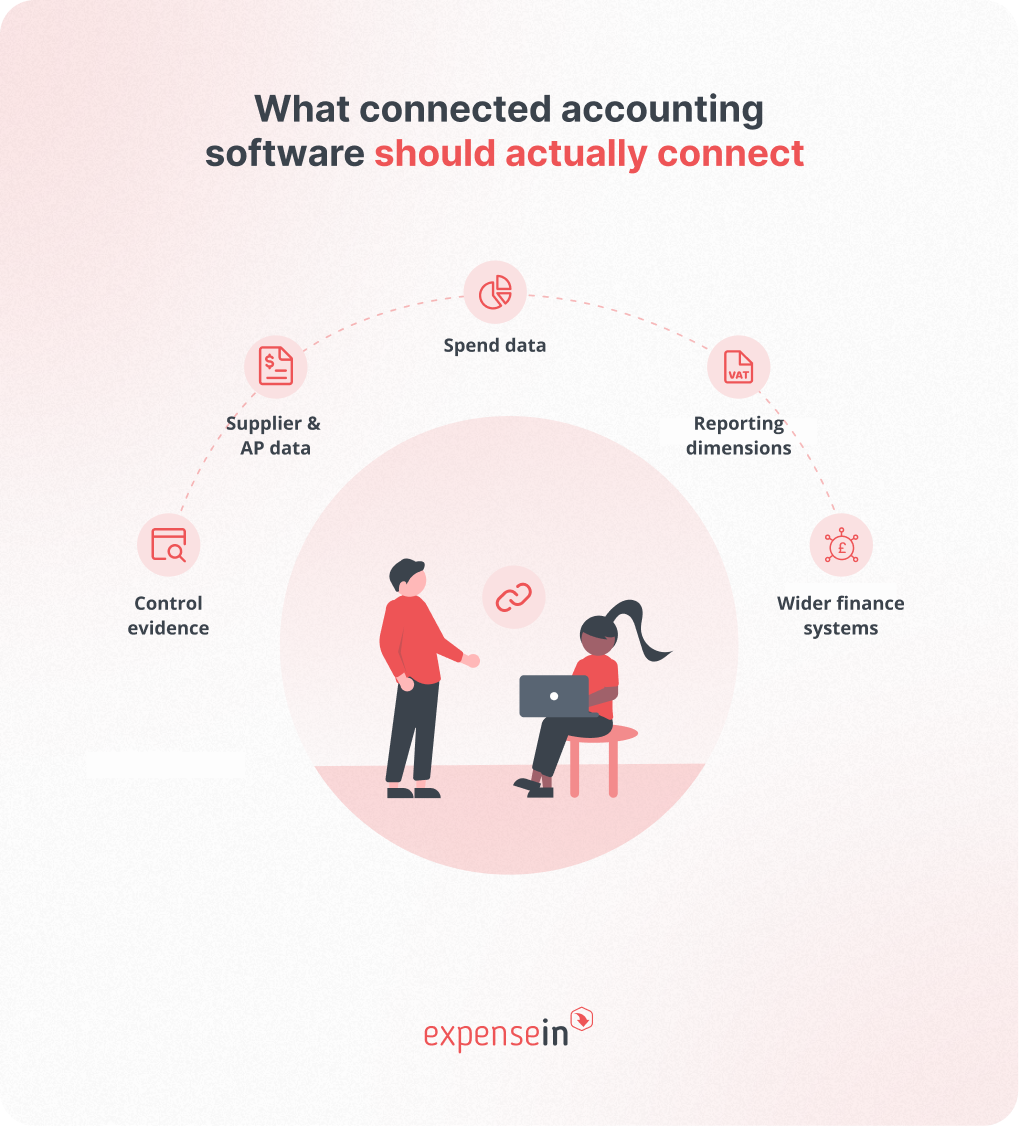
Expense claims, receipts, mileage, company card transactions, and reimbursements should move from expense management into accounting with consistent coding and supporting evidence.
Finance needs to know what the spend was, who approved it, which project or department it belongs to, and whether the right documentation is attached.
Supplier invoices, supplier records, approval status, payment references, and supporting documents should be easy to trace from approval through to accounting.
The goal is to make sure finance can find the evidence without searching through inboxes or disconnected folders.
Nominal codes, VAT codes, departments, projects, entities, and locations need to stay consistent across connected systems.
If these dimensions aren’t aligned, the integration may still move data, but finance still has to fix it before reporting.
Approval history, policy checks, receipt images, VAT decisions, and exception notes should stay linked to the transaction.
This helps finance see not just what was posted, but why it was approved, who approved it, and what evidence supported it.
Banking, payroll, CRM, financial reporting software, and business intelligence tools may all generate or use finance data. Connected finance systems need to support that wider picture without pushing finance back into spreadsheets.
AccountsIQ supports this type of connected setup through integrations with existing business systems, an Open API, and an integrations marketplace for pre-built and custom options.
For finance teams, the best connected accounting software is the system that helps data arrive complete, coded, traceable, and ready to report.
A finance software integration should do more than move data between systems.
If it pushes incomplete, uncoded, or poorly approved spend into accounting, finance still has to fix the problem later.
A good accounting software integration should preserve the context around each transaction: what the spend was, who approved it, how it was coded, which evidence supports it, and whether anything needs review.
Use this checklist when assessing accounting software integrations:
Integration capability | What finance should check | Why it matters | Red flag to watch for |
|---|---|---|---|
Code mapping | Can spend map to the right nominal codes, VAT codes, cost centres, departments, projects, and entities? | Reduces manual correction before posting and supports cleaner reporting. | Finance still has to recode transactions after import. |
Approval sync | Is approval status visible before data is posted to accounting? | Protects accountability and helps stop unapproved spend becoming an accounting clean-up task. | Transactions can reach accounting before the right approval has happened. |
Receipt and document transfer | Can receipts, invoices, and supporting evidence be accessed later? | Supports audit readiness and makes internal queries easier to answer. | Finance has to search emails, folders, or another system to find evidence. |
Error handling | Are failed syncs, missing fields, and rejected transactions flagged clearly? | Helps issues get resolved quickly instead of surfacing during reconciliation. | Failed transfers sit unnoticed until month-end. |
Multi-entity support | Can the setup handle different entities, locations, currencies, departments, or projects? | Supports growing finance teams with more complex reporting needs. | The integration works for one entity but becomes messy across a group structure. |
API flexibility | Can the integration adapt as systems, workflows, or reporting needs change? | Reduces future rework as the finance stack evolves. | The setup depends on rigid exports or one-off workarounds. |
Reporting visibility | Can finance report on spend by team, project, user, supplier, category, or entity? | Turns approved transactions into useful management information. | Data moves into accounting, but finance still needs spreadsheets to explain it. |
Audit trail | Can finance trace the transaction from capture to approval, coding, and posting? | Gives reviewers a clearer view of what happened and why. | The accounting entry is separated from the approval history or policy context. |
Ownership | Is it clear who maintains mappings, resolves errors, and updates fields when the chart of accounts changes? | Prevents integration issues becoming nobody’s responsibility. | Finance, IT, and system admins all assume someone else owns the fix. |
The practical test is simple: does the integration reduce finance work, or just move that work to a different stage of the process?
Once you know what good expense-to-accounting integration should look like, the next question is practical: which system should own which part of the process?
For many finance teams, the answer is to use the right tool at the right stage of the workflow.
 ExpenseIn helps control spend before it reaches accounting
 ExpenseIn supports the front end of the spend process:
This is where expense data is usually at its messiest.
Receipts may be missing, VAT treatment may need checking, spend may need manager approval, and transactions may need to be coded to the right department, project, or cost centre.
By managing those steps before data reaches accounting, ExpenseIn helps finance teams send cleaner, better-supported spend data into the accounting system.
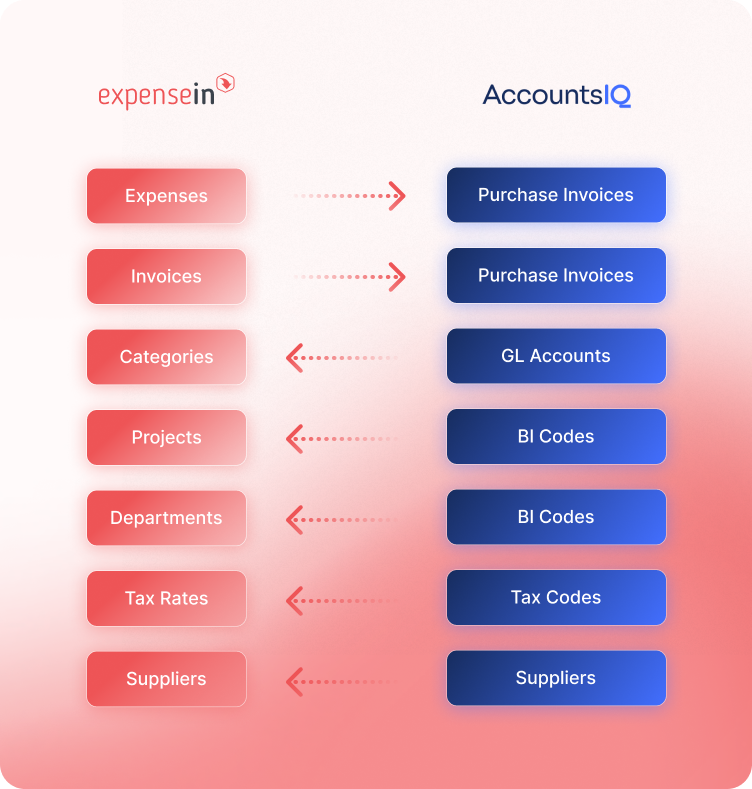
The ExpenseIn + AccountsIQ integration can be used for posting receipts and invoices into AccountsIQ.
AccountsIQ supports the accounting, reporting, and consolidation side of the workflow.
It’s a cloud accounting software built for mid-market finance teams, including organisations managing multi-entity structures, multi-currency reporting, and growing transaction volumes.
The value of connecting ExpenseIn and AccountsIQ is that spend can be captured and controlled upstream in ExpenseIn, then posted into AccountsIQ in a cleaner, more usable format for accounting and reporting.
That helps finance reduce the gap between spend happening and finance being able to report on it.
In practice, that means fewer disconnected handoffs, less reliance on manual exports, and a clearer route from receipt, invoice, or card transaction through to approval, coding, posting, and reporting.
Want to see how ExpenseIn connects with AccountsIQ? Explore the integration.
AI-powered accounting software is only as useful as the finance data behind it.
For finance teams, that means AI works best when expense data is already:
Captured properly
Coded consistently
Linked to receipts and invoices
Approved through the right workflow
Connected to accounting and reporting systems
If spend data is incomplete, AI has a weak foundation. It might flag unusual spending or suggest a coding change, but finance still has to check whether the data is accurate, approved, and supported by evidence.
That is why finance system integration matters. Connected systems help create cleaner inputs for AI by keeping spend data, approval history, coding, and supporting documents linked.
AccountsIQ’s AI is built into finance and expense workflows to support tasks such as allocations, reconciliations, coding accuracy, exception detection, and close preparation.
Nothing is posted, saved, or submitted without human review and approval.
Not every integration problem looks like a broken sync.
Sometimes the systems technically connect, but finance still has to export data, check receipts, correct codes, chase approvals, and rebuild reports manually. That’s usually a sign that the workflow is not properly connected, even if the software is.
Spreadsheet work is a good warning sign. Research into spreadsheet risk has repeatedly found that errors are common, difficult to detect, and often underestimated by organisations.
So, if key finance processes still depend on spreadsheet clean-up, copy-and-paste fixes, or manual reconciliations, the risk is control, reporting, and audit confidence.
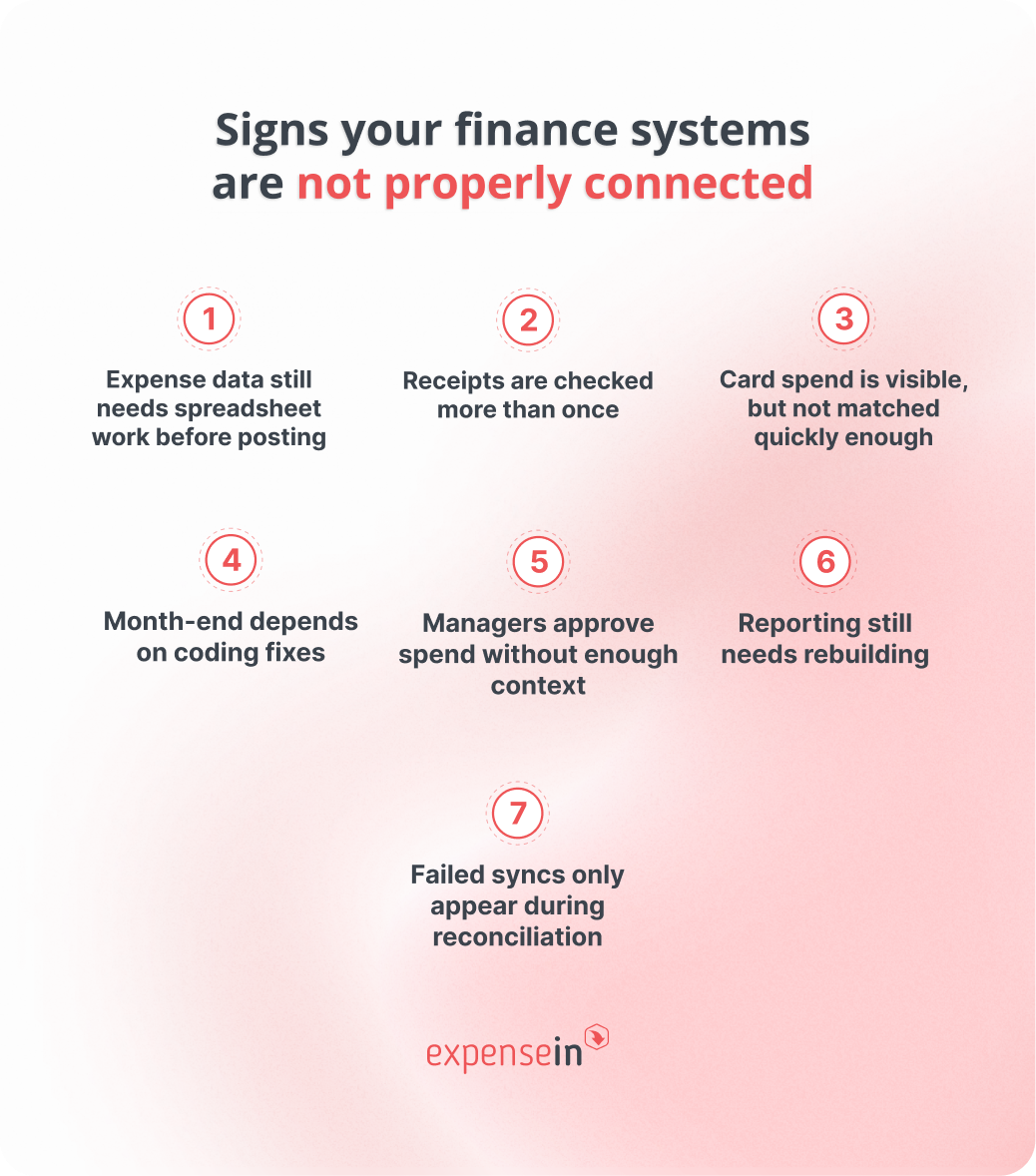 Look out for these signs:
Expense data still needs spreadsheet work before posting. Finance has to export, clean, and upload data before accounting can use it.
Receipts are checked more than once. The receipt, approval, and coding don’t travel cleanly with the transaction.
Card spend is visible, but not matched quickly enough. Transactions still need manual matching before reporting or reconciliation.
Month-end depends on coding fixes. Nominal codes, VAT codes, departments, projects, or entities are corrected after import.
Managers approve spend without enough context. Approvers cannot easily see policy, budget, project, or previous spend information.
Reporting still needs rebuilding. Finance cannot report confidently by project, department, entity, user, supplier, or category without manual prep.
Failed syncs only appear during reconciliation. Errors are not flagged, assigned, or resolved early enough.
If finance still has to chase, check, recode or rebuild the data after it moves between systems, the workflow is not properly connected.
Before reviewing a finance system integration, map the workflow from first spend to final report.
Use these questions to pressure-test the workflow:
Data ownership: “Which system owns employees, suppliers, nominal codes, VAT codes, departments, projects, and entities?”
Mandatory fields: “Are approvals completed before data reaches accounting?”
Approvals: “Are approvals completed before data reaches accounting?”
Policy controls: “Are policy exceptions flagged in the workflow, not just reviewed after posting?”
Receipts and evidence: “Are receipts, invoices, approval notes, and supporting documents attached or clearly traceable?”
Coding and mapping: “Can spend map to the right nominal codes, VAT codes, cost centres, departments, projects, and entities?”
Error handling: “How are failed syncs, rejected transactions, and missing fields flagged?”
Reporting: “Can finance report by team, project, department, user, supplier, category, or entity?”
Visibility: “Can finance see spend before month-end?”
Ownership: “Who maintains the integration, updates mappings, and resolves errors?”
Change management: “What happens when the chart of accounts, approval rules, or reporting structure changes?”
The best integrations make these answers clear. Finance knows which system owns which data, where approvals happen, how exceptions are handled, and who fixes issues when something breaks.
Finance system integration can reduce manual work, but only if the underlying workflow is clean. If the process depends on messy codes, unclear approvals, or spreadsheet fixes, integration can simply move bad data faster.
Research into operational spreadsheets found errors in 0.8% to 1.8% of formula cells, depending on how errors were defined, so spreadsheet-heavy workarounds should not be treated as harmless admin.
Avoid these mistakes:
Connecting messy data. Clean nominal codes, VAT codes, departments, projects, suppliers, and approval routes before syncing systems.
Treating integration as an IT project. IT can support setup, but finance needs to define the workflow, controls, and reporting requirements.
Posting before approving. Missing receipts, policy exceptions, and unclear approvals should be resolved before spend reaches accounting.
Forgetting exception handling. Failed syncs, rejected transactions, and missing fields need to be visible, assigned, and resolved quickly.
Choosing for today’s volume only. Consider future entities, currencies, projects, approval layers, and reporting needs.
Automating a weak process. Fix unclear approvals, inconsistent coding, and missing evidence before automating the workflow.
The simple rule: do not connect systems until you know what good data, good approval, and good reporting should look like.
Finance system integration connects software tools across the finance function so data can move between them with less manual export or re-keying.
It often links expense management, accounts payable, approval workflows, and accounting systems so validated spend can reach the general ledger in a cleaner format.
Connected accounting software is an accounting platform that integrates with other tools in a finance team’s workflow. It helps data move between systems with less manual handling, so accounting records can reflect a clearer and more complete picture of business spend.
Accounting software integrations are technical connections between an accounting system and other finance or business tools. They are often built using APIs, connectors, or middleware, and they allow data such as expenses, invoices, suppliers, codes, and payments to sync between systems.
Not exactly. Expense management software focuses on capturing, checking, and approving spend. Expense accounting software usually refers to how that spend is recorded in the accounts. For finance teams, the strongest setup is often expense management software that connects cleanly with accounting software.
Usually no. Finance teams often need expense management to capture and control spend before accounting software records and reports it. The accounting system should not be the first place finance discovers missing receipts, unclear approvals, or coding issues.
Start with the workflows creating the most manual work or reporting risk. For many finance teams, that means expenses, invoices, company card spend, and approvals. These are the areas where missing evidence, poor coding, or late approvals can quickly slow down month-end.
Book a demo to see how ExpenseIn helps finance teams connect expenses, approvals, and accounting workflows.
Learn how expense reimbursement works in the UK, what HMRC rules apply, what evidence to keep, and how finance teams can control claims and approvals.