Business Expenses
Best Expense Management Software Reviewed [2026]
Compare the best expense management software for businesses in 2026. Review the top 5 tools for receipt capture, approvals, mileage, reporting, integrations, and finance control.
Month-end shouldn't mean chasing three people for the same taxi receipt. But for a lot of finance teams, it still does.
Someone's expense report is missing a VAT receipt. Someone else submitted mileage without a route. A manager hasn't approved anything in a week because they've been travelling.
None of it is anyone's fault exactly; it's just what happens when expense management runs on spreadsheets, email chains, and good intentions.
In a 2025 ExpenseIn survey of 500 UK employees, nearly a third of employees were chased for missing receipts every week, and almost half were paying for business costs out of their own pockets before they could claim them back.
Expense management automation replaces that chase. It's software that:
Checks claims against policy
Routes approvals
Pays employees back
Then posts the spend to your accounting system
And all without someone in finance keying it in by hand.
Expense management automation is software that handles the expense process end to end:
An employee captures a receipt or logs a mileage claim.
The expense system checks it against policy, routes it to the right approver, reimburses the employee, and posts the transaction to your accounting software.
No spreadsheets, no manual re-keying, no email trail to reconstruct later.
For a UK or Irish finance team, that means the process already reflects local rules. Mileage claims use the correct HMRC or Revenue rate for the vehicle and distance. VAT is calculated on the fuel element where it applies. Records are captured in a form that would hold up if HMRC or Revenue ever asked to see them.
This matters because expense management in the UK and Ireland isn't quite the same job as it is elsewhere.
Mileage rates, VAT reclaim, and retention periods are all set locally, and a system built around US per-diems or generic categories tends to leave finance teams doing the compliance work manually anyway.
The process runs in five stages. Each one replaces a manual step that used to sit with either the employee or finance.
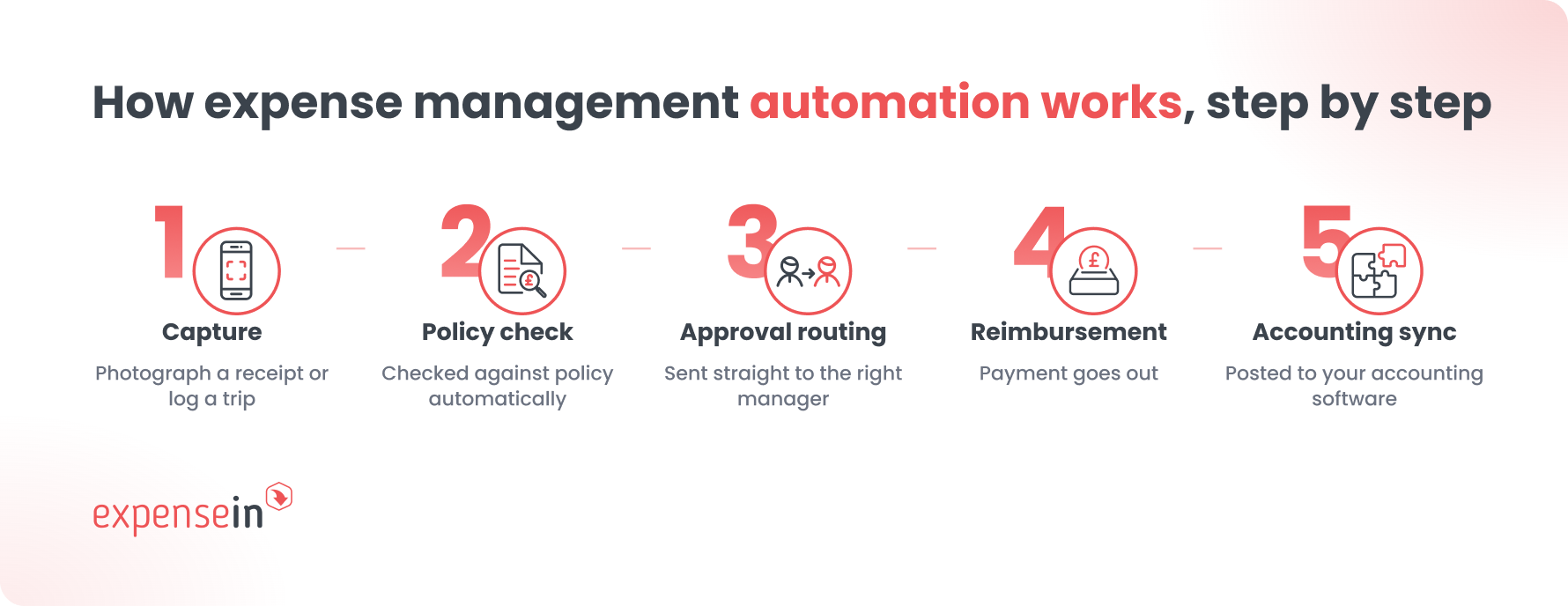
The employee photographs a receipt or logs a trip in the ExpenseIn app.
Receipt scanning pulls out the merchant, date, amount, and VAT, so nobody's typing figures from a crumpled slip of paper into a spreadsheet.
The system checks the claim against your expense policy automatically. A meal within the daily limit sails through.
A claim above a threshold, or in a category that needs extra scrutiny, gets flagged before it reaches an approver.
The claim goes straight to the right manager, with the receipt, policy check, and context attached.
Approvals happen from a phone, so a manager travelling for work isn't the reason a claim sits for a week.
Once approved, the payment goes out, whether that's through payroll, a separate reimbursement run, or however your business handles it.
The transaction posts to your accounting software with the right code, project, or cost centre attached.
Finance isn't re-entering anything that's already been captured once.
Automation is good at consistency. It's not designed to use judgement, and it shouldn't be asked to.
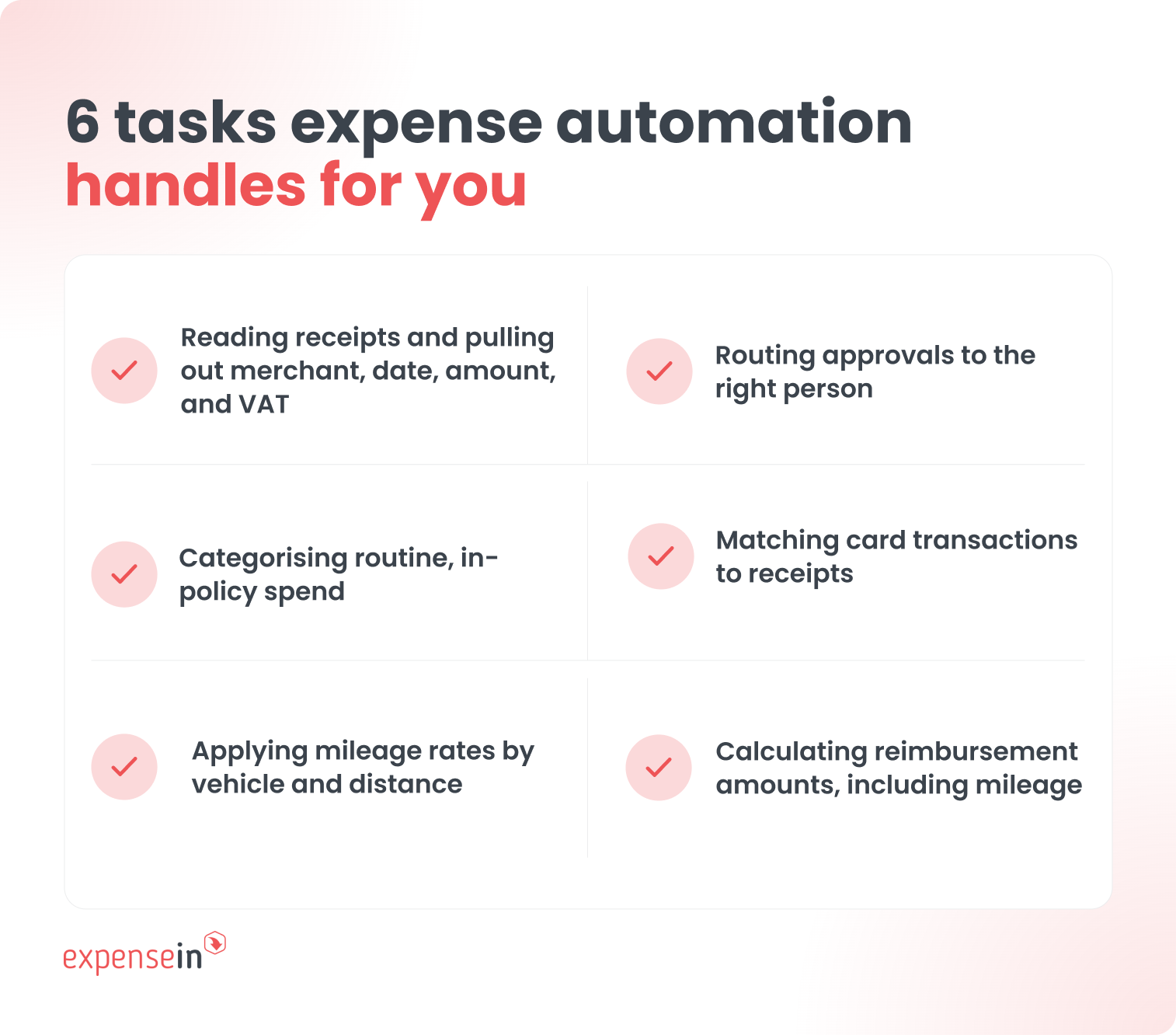 Automation handles well:
Reading standard receipts and pulling out merchant, date, amount, and VAT
Categorising routine, in-policy spend
Applying mileage rates correctly by vehicle and distance
Routing approvals to the right person without anyone chasing
Matching card transactions to receipts
Calculating reimbursement amounts, including mileage
Still needs a person:
A receipt that's blurry, in a foreign currency, or missing information
A claim that technically fits policy but looks wrong in context
A new or unusual expense category that hasn't been seen before
Genuine policy exceptions, where a manager needs to use discretion
The honest answer is that automation removes the repetitive 90% of expense processing, so the finance team's attention goes to the 10% that actually needs it.
That direction of travel is well established. McKinsey estimates that current technology could fully automate around 42% of finance activities, with routine data entry among the most automatable of all.
A system that claims to remove all human judgement from expenses usually means the judgement is happening somewhere you can't see it, which is worse.
Here's what a fairly ordinary UK month-end looks like under each approach.
Stage | Manual process | Automated process |
|---|---|---|
Employee keeps paper receipts, submits at month-end | Employee photographs receipt on the day, data extracted instantly | |
Calculated manually, rate applied by whoever's doing the spreadsheet | Correct HMRC rate applied automatically by vehicle and distance | |
Finance reviews each claim after submission | Checked automatically at the point of submission | |
Emailed to a manager, chased if they're travelling | Routed automatically, approved from a phone | |
VAT treatment | Calculated separately, often after the fact | Calculated as part of the claim |
Reimbursement | Batched manually, sometimes delayed to the next payroll run | Processed on a set schedule without manual intervention |
Accounting entry | Rekeyed into the accounting system by finance | Posted automatically with the right code attached |
Audit trail | Reconstructed from emails and spreadsheets if questioned | Already attached to the transaction |
Month-end close | Depends on finance chasing outstanding claims | Claims are already coded, approved, and posted |
Speed matters, but the bigger difference is that the automated version doesn't require anyone to remember what happened.
The record is built as the claim moves through the process, not reconstructed afterwards.
The gains are easiest to see at month-end, but they start the moment a claim is created. They show up in three places:
Time saved across the team
Cleaner books at month-end
Tighter, more consistent control
It's the benefit people notice first:
Employees stop keeping shoeboxes of receipts.
Finance stops chasing claims and rekeying data.
Managers approve from wherever they are.
This is the more durable benefit.
When every claim is checked against policy at submission, coded consistently, and posted with a full trail, month-end stops being an exercise in reconstruction.
Finance can trust the numbers because they were built the first time correctly, not tidied up under deadline pressure.
Automated policy checks catch the same things every time, regardless of who is reviewing or how busy they are.
That consistency is hard to match in a manual review, however careful the reviewer.
Automation doesn't remove the need to understand the rules. It just means nobody has to apply them by hand, claim by claim.
The same three duties apply in both the UK and Ireland: pay the right mileage rate, handle VAT correctly, and keep the records.
The figures and the basis differ, and here's how they compare.
Compliance duty | United Kingdom | Ireland |
|---|---|---|
Mileage rate (cars and vans) | 55p per mile for the first 10,000 business miles, then 25p (2026/27, up from 45p) | 41.80c to 51.82c per km for the first 1,500 km, by engine size, with lower bands above |
VAT on the mileage payment | Fuel element only, reclaimable using Advisory Fuel Rates (HMRC VIT55400) | No separate reclaim; the rate is a single all-inclusive tax-free figure |
Record retention | 3 years from the end of the tax year (expenses and benefits) | 6 years (Companies Act 2014, Taxes Consolidation Act 1997) |
For 2026/27 the UK AMAP rate rose to 55p per mile for the first 10,000 business miles, then 25p, up from the 45p that had stood since 2011.
Any policy or spreadsheet still on 45p underpays on every claim, and underpayment is not cost-free: staff can reclaim the shortfall as Mileage Allowance Relief through their own tax return, which pushes the admin straight back onto the business.
For how the bands work, see ExpenseIn's guide to HMRC mileage rates.
Ireland uses the Civil Service mileage rates as the Revenue-accepted tax-free ceiling, banded by engine size and distance, with electric vehicles claiming at the 1,201cc to 1,500cc rate.
Subsistence follows the same tax-free logic: day rates of €19.25 for absences of 5 to 10 hours and €46.17 beyond 10 hours, plus an overnight rate of €205.53 for the first 14 nights.
In the UK, only the fuel element of a mileage payment is VAT-reclaimable.
HMRC's guidance (VIT55400) works that element out from the fuel portion of the payment using its Advisory Fuel Rates, and the reclaim needs a valid VAT receipt from the fuel supplier covering at least the value being claimed. Without that receipt, the reclaim doesn't stand up.
Ireland has no direct equivalent. Because the Civil Service rate is a single all-inclusive figure, there is no separate VAT to reclaim on top of it.
VAT recovery in Ireland usually arises on buying or leasing a company vehicle instead, which is a separate question worth taking to your accountant.
The UK expects records of expenses and benefits kept for three years from the end of the tax year they relate to, with enough detail to show why an employee travelled and, where possible, the receipts behind each claim.
Ireland sets a longer bar on a different statutory basis: six years under the Companies Act 2014 and the Taxes Consolidation Act 1997.
Automation is what makes either bar easy to clear. The record is built as the claim moves, with the receipt, approval, and coding already attached, so there's nothing to reconstruct if HMRC or Revenue asks.
For a business running both UK and Irish entities, that means one consistent audit trail rather than two manual processes running to two different clocks.
Reporting requirements vary by structure and circumstances. Always confirm current rates and rules with Revenue.ie, GOV.UK, or your accountant before relying on them.
Month-end close is usually slow for one reason: finance is waiting on data that should already exist. A missing receipt. An unapproved claim. A mileage log that needs checking against the right rate.
With expense automation, that data is already there. Claims are coded, checked, and approved as they happen, not batched up and dealt with in the last week of the month.
Finance can see live spend rather than waiting for a snapshot, which means problems get caught while there's still time to fix them, not after the numbers have already gone into a report.
The close is faster, and it’s calmer too. Nobody's reconstructing a paper trail under deadline pressure.
A system that works well for a US business doesn't necessarily work well here. When evaluating options, it's worth checking:
What to check | Why it matters |
|---|---|
UK and Irish mileage rates built in | Avoids manual rate updates and underpayment |
VAT handling on the fuel element | Needed to reclaim correctly and keep the right receipts |
Local record-keeping periods | UK needs 3 years, Ireland needs 6, and the system should support both |
Multi-currency and multi-entity support | Relevant if you operate across the UK and Ireland, or beyond |
Reduces rekeying and keeps the audit trail intact | |
Determines how easily employees actually adopt the system | |
Needs to work for managers who travel or work across time zones |
The system should fit how your finance team actually works, not the other way round.
Rolling out a new expense software mid-cycle is one of the most common reasons implementations go badly.
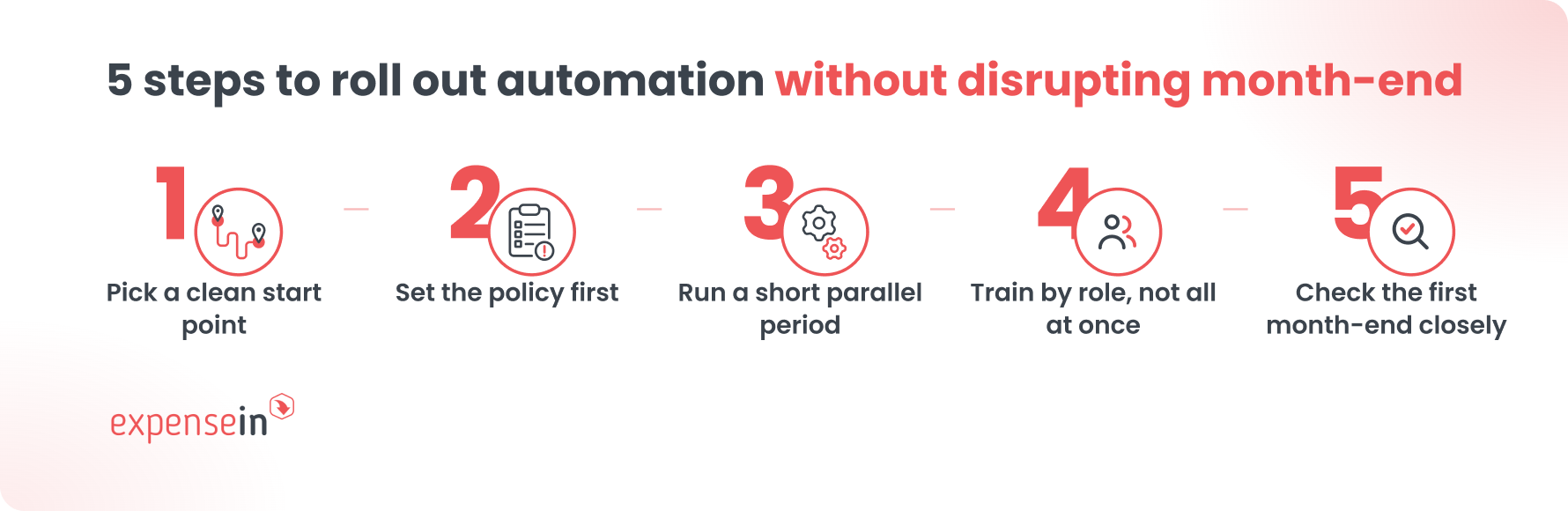 A steadier approach:
Pick a clean start point. The beginning of a new month or quarter, not partway through one.
Set the policy first. Automation only checks a claim against the policy you give it, so get the categories, limits, and approval rules right before go-live.
Run a short parallel period. Keep the old process running alongside the new one for the first cycle, so nothing falls through the gap while people get used to it.
Train by role, not all at once. Employees need to know how to capture and submit. Approvers need to know how to review on the go. Finance needs to know how the accounting sync works.
Check the first month-end closely. The first close under a new system is the one to review line by line, so any policy gaps get fixed before they repeat.
Automating expenses shouldn't just make the same process quicker. It should change where your finance team spends its attention.
ExpenseIn is built around that: keep routine spend moving on its own and put the claims that need judgement in front of finance.
One system for every kind of spend. Employee expenses, mileage, company card spend, and supplier invoices sit together, so finance gets a current view of business spend by team, user, or project instead of piecing it together from separate spreadsheets and inboxes.
Policy and approvals inside the process. Routine, correctly submitted spend keeps moving, while finance focuses on the claims that need a closer look: missing evidence, unusual categories, policy exceptions, or unclear business purposes.
One connected record. The receipt, approval history, and relevant coding stay attached to the transaction, rather than being stored across several places and matched up at month-end.
Integrations with your accounting system. Checked expense data passes to supported accounting systems, reducing the need to re-enter information already captured. ExpenseIn's integrations include Xero, Sage, AccountsIQ, and many more.
 The questions finance teams ask us most about expense automation
No. It removes the repetitive parts of expense processing, receipt entry, rekeying, and chasing approvals, so finance can spend time on the judgement calls, exceptions, and analysis that actually need a person.
A good expense management system should sync directly with your accounting software, posting coded transactions rather than requiring a manual export and import.
Check this specifically for your system before choosing a provider, since the quality of the integration is what determines whether month-end actually gets faster.
Yes. HMRC doesn't require paper receipts specifically, it requires accurate records that show what was spent, why, and when, kept for the required retention period. A digital record that captures the same information is acceptable, and in practice it's usually more complete than a paper one.
It depends on the complexity of your policy and how many approval workflows you need, but most teams can get a functioning system live within a few weeks. The policy-setting stage tends to take longer than the technical setup itself, since it's where the real decisions get made.
Book a demo to see how ExpenseIn handles UK and Irish mileage, VAT, and compliance automatically, from receipt to reimbursement.
Compare the best expense management software for businesses in 2026. Review the top 5 tools for receipt capture, approvals, mileage, reporting, integrations, and finance control.