
Business Expenses
Expense Reimbursement in the UK: Rules, Tax, Receipts and Process
Learn how expense reimbursement works in the UK, what HMRC rules apply, what evidence to keep, and how finance teams can control claims and approvals.
Receipts land in a shoebox. Or an inbox. Or a photo roll nobody's looked at since March.
Meanwhile, approvals sit in someone's "to do later" folder, and month-end starts with a hunt for who spent what, on which card, and whether there's a receipt to prove it.
The best app for tracking business expenses and receipts depends on your setup.
A sole trader usually needs a simple receipt scanner that turns photos into tidy records for Self Assessment
A business with employees needs something bigger: an expense management platform that captures receipts, runs approvals, checks policy, and reports on spend in one place
For UK and Ireland finance teams handling staff expenses, a dedicated platform beats a solo scanner every time, because the moment more than one person is spending money, you need control as much as you need capture.
Most "best expense app" roundups treat every tool on the list as the same kind of product. They're not.
A receipt scanner digitises paperwork for one person.
Expense management software runs the whole process for a team: submission, approval, policy enforcement, card reconciliation, and reporting.
That distinction matters more than any single feature, because it decides whether the app you pick will still work once you've got five people submitting expenses instead of one.
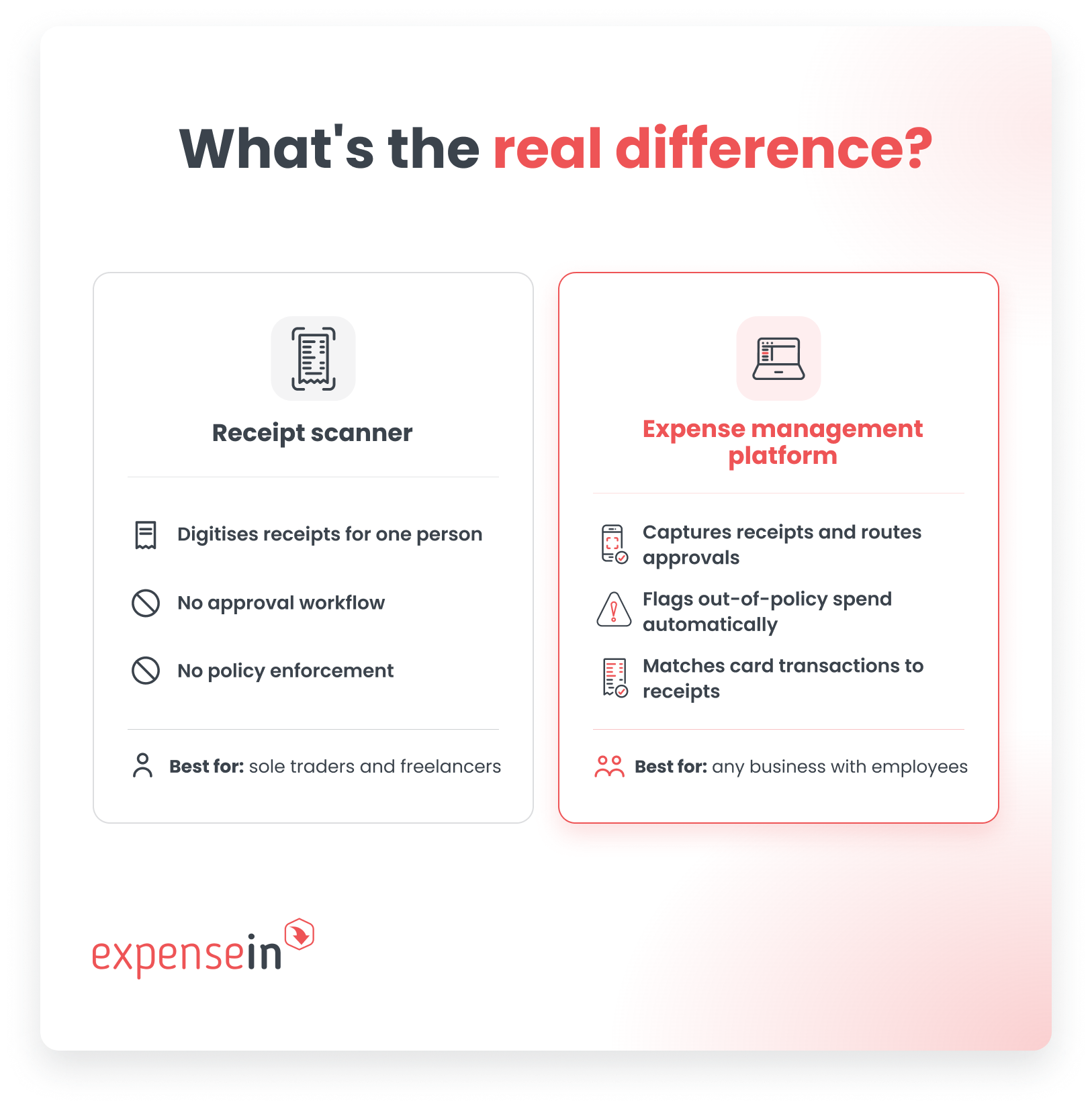
A good scanner app photographs a receipt, pulls out the date, vendor, and amount, and files it somewhere searchable. Some also add basic categorisation or a simple expense report you can hand to an accountant.
That's genuinely useful if you're the only person incurring the spend.
It's less useful the moment you need someone else to check the claim before it's paid, because most scanners have no concept of an approver, a policy rule, or a budget.
An expense platform starts from the same receipt capture, then adds the parts a scanner was never built for:
Flagging a claim that breaks policy before it's paid
Matching card transactions to receipts automatically
Giving finance a live view of spend across the whole business rather than a pile of individual reports
For a team, that's the difference between chasing people for receipts every month and having the system chase the exceptions for you.
The right option depends on who's spending and how much oversight you need.
Your situation | What you’ll likely need | Why |
|---|---|---|
You’re a sole trader, freelancer or single director with no employees | A receipt scanner connected to your accounting software | There’s no approval chain to manage. You mainly need a quick way to capture receipts and keep accurate records. |
Employees spend on the business’s behalf | An expense management platform | Claims need reviewing, expense policies need applying, and finance needs reliable reporting without rebuilding the data in spreadsheets. |
Once more than one person is spending, receipt capture is only part of the process. The bigger challenge is controlling, approving, and reporting that spend.
Once you know which category fits, the checklist looks different depending on which side of that line you're on.
For a team buying a business expense and receipt platform, these are the jobs the software actually needs to do:
Receipt capture on the go. Employees should be able to photograph receipts and submit claims from wherever they are, reducing receipt chasing for finance.
Policies and approvals. Claims should route through a clear approval process, with built-in policy rules helping finance identify exceptions and apply controls consistently.
Company expense cards. Look for integrated cards with real-time transaction tracking and built-in spend controls, so finance can monitor spending as it happens.
Card reconciliation. Card transactions, receipts and expense records should be managed in one place, reducing the manual work involved in checking statements and chasing missing evidence.
Mileage recording. Mapping integration makes it easier to calculate business journeys and reimbursements without relying on manually entered distances.
Reporting and audit trails. Finance should have an up-to-date view of spend by team, user or project, supported by a clear record of claims and approvals.
Accounting integrations. Expense data should sync with systems such as AccountsIQ, Xero, and Sage, reducing rekeying and spreadsheet work.
Easy implementation. Look for software that can be introduced quickly and is straightforward for employees, approvers and finance teams to use.
There's no single winner for every business here. The right pick depends on whether you're solo or managing a team, how much you travel, and what you already use for accounting.
Here's how the main options stack up for UK and Ireland businesses specifically:
App | Category | Best for | UK/IE considerations |
|---|---|---|---|
ExpenseIn | Expense management platform | Finance teams managing employee expenses, company cards, mileage, approvals, and reporting | Strong UK/IE focus, with local support and regional reporting tools |
Pleo | Card-first spend platform | Smaller teams centred on company card spend | Strong UK/IE presence; compare non-card approval workflows |
SAP Concur | Enterprise travel and expense platform | Large or multinational organisations with complex travel programmes | Established UK presence; best suited to larger implementations |
FreeAgent | Accounting software with receipt capture | Sole traders, freelancers, and small businesses | UK-focused, with tax and Making Tax Digital support |
QuickBooks Sole Trader | Accounting software with receipt capture | Non-VAT-registered sole traders | UK-specific, with Making Tax Digital tools |
Best fit: ExpenseIn
ExpenseIn is the strongest all-round fit in this comparison for finance teams that need to manage employee claims, company cards, and mileage tracking through one controlled process.
Choose ExpenseIn if you need:
Receipt capture with useful data extraction. Scanning can extract the date, merchant, amount, VAT amount, and currency to pre-populate the expense.
Approval routes that reflect your organisation. Flows can be assigned at user, department or project level, with additional stages triggered by factors such as the amount or whether an expense is outside policy.
Policy checks before an expense progresses. Rules can warn the employee, block submission, or report an exception to approvers and finance.
Company expense cards and reconciliation in the same workflow. ExpenseIn supports card controls, transaction imports, and data feeds. Imported transactions can be matched against draft expenses and unattached receipts when the matching criteria are met.
Mileage alongside other employee expenses. Google Maps can calculate the suggested journey distance, while mileage policies can check distance tolerances and postcode validity.
A route into your accounting system. ExpenseIn documents direct integrations with AccountsIQ, Xero, Sage Accounting, QuickBooks, and many more.
 Best for sole traders and the self-employed
 Best fit: FreeAgent or QuickBooks Sole Trader
A sole trader with no employees does not normally need multi-stage approvals, employee policies, or company-wide card controls. Bookkeeping and tax administration will generally be more important.
FreeAgent is worth considering if you want:
Bookkeeping, expenses and mileage in the same accounting product
Self Assessment calculations and supported returns filed directly with HMRC
VAT return preparation and direct HMRC filing where applicable
Receipt and bill capture, with transaction matching and categorisation options
QuickBooks Sole Trader is worth considering if you want:
A product intended for non-VAT-registered sole traders
Receipt capture and mileage tracking
Income, expense and invoicing tools
Making Tax Digital for Income Tax functionality
Best fit: SAP Concur
Travel booking and expense management are related, but they are not the same job.
Businesses with substantial travel programmes often need more than receipt capture and reimbursement workflows. They may also need booking tools, traveller support, and connections across travel, card, and expense data.
SAP Concur is worth considering if you need:
Travel booking and expense management in one platform
Policy controls applied during the booking process
Travel, card, and expense data connected for reporting
Integrations with travel management companies and global distribution systems
Support for large or international travel programmes
SAP Concur is particularly well suited to organisations where business travel is a significant and complex part of the finance process. Its broader scope is likely to be more than smaller teams need, but for multinational businesses or companies managing travel at scale, that depth can be valuable.
ExpenseIn is better suited where the priority is controlling travel-related claims, company card spend, and mileage rather than managing the travel booking process itself.
Best fit: ExpenseIn + AccountsIQ
 For growing and mid-market finance teams, the challenge is getting controlled, correctly coded expense data into the accounting system without rebuilding it through spreadsheets or manual uploads.
ExpenseIn and AccountsIQ are designed to handle different parts of that process:
ExpenseIn manages employee spending, including claims, company card transactions, mileage, approvals, and policy checks.
AccountsIQ manages the wider accounting process, with capabilities suited to growing organisations and more complex, multi-entity finance structures.
Expense and invoice data can be posted directly from ExpenseIn into AccountsIQ.
Reference data can sync back into ExpenseIn, helping keep general ledger accounts, business intelligence codes, tax codes, and supplier records aligned.
Finance retains control of the setup, including which reference data is synchronised and how different types of expenses and invoices are mapped.
This pairing is particularly relevant if you:
Have outgrown entry-level accounting software
Manage several entities, locations or currencies
Need detailed coding by department, project or other reporting dimension
Want employee expenses to follow controlled approval and policy processes
Need approved expense data to feed into the wider finance system
Want to reduce manual maintenance between expense and accounting records
See how the ExpenseIn and AccountsIQ integration connects employee spending with your wider accounting process.
Accounting software typically includes some expense functionality, so it's a fair question.
For a small business with a handful of straightforward transactions, the expense features built into Xero, QuickBooks, or Sage are often enough.
You can log a purchase, attach a receipt, and reconcile it against the bank feed without a separate tool.
The gap opens up once you have employees spending on the business's behalf.
Built-in accounting features are rarely designed for multi-step approvals, policy enforcement before spend happens, or real-time visibility across a team.
That's the point where a dedicated expense layer, connected to your existing accounting software, tends to earn its place. It doesn't replace your accounting system, it sits in front of it and controls what gets into it.
Receipt scanning is only part of the picture for UK finance teams.
If your business is VAT-registered, you also need to consider how long records remain available and how expense data moves into your accounting software.
Whatever app you choose, it needs to store digital receipts and VAT data in a way that's still accessible six years from now.
Most VAT records must be kept for at least six years. Businesses using the VAT One Stop Shop, or former Mini One Stop Shop schemes, generally need to keep relevant records for 10 years.
Deregistering for VAT does not remove the obligation to retain records for the required period.
That makes long-term access an important buying question. Before choosing an expense app, check:
How long receipts and expense records remain available
Whether you can retrieve records by date, employee, merchant, or VAT amount
Whether records can be exported in a usable format
What happens to your data if you change provider
Whether attached receipt images remain linked to the expense record
HMRC allows scanned invoices to replace the original in some circumstances, provided the retained image contains all the detail required for VAT purposes.
Some documents may still need to be kept in their original form, so confirm the requirements that apply to your records.
Under Making Tax Digital for VAT, VAT-registered businesses must generally keep specified records digitally and submit VAT returns using compatible software, unless an exemption applies.
Where several products form part of the VAT record-keeping process, the relevant data must move between them using digital links. Accepted methods include:
API transfers
XML or CSV imports and exports
File downloads and uploads
Linked spreadsheet cells
Copying and pasting figures or manually rekeying data between systems does not count as a digital link where the digital-link requirement applies.
A direct integration is not the only acceptable approach, but it can reduce handling and make the process easier to maintain.
The important point is that the data moves electronically rather than being typed into another system again.
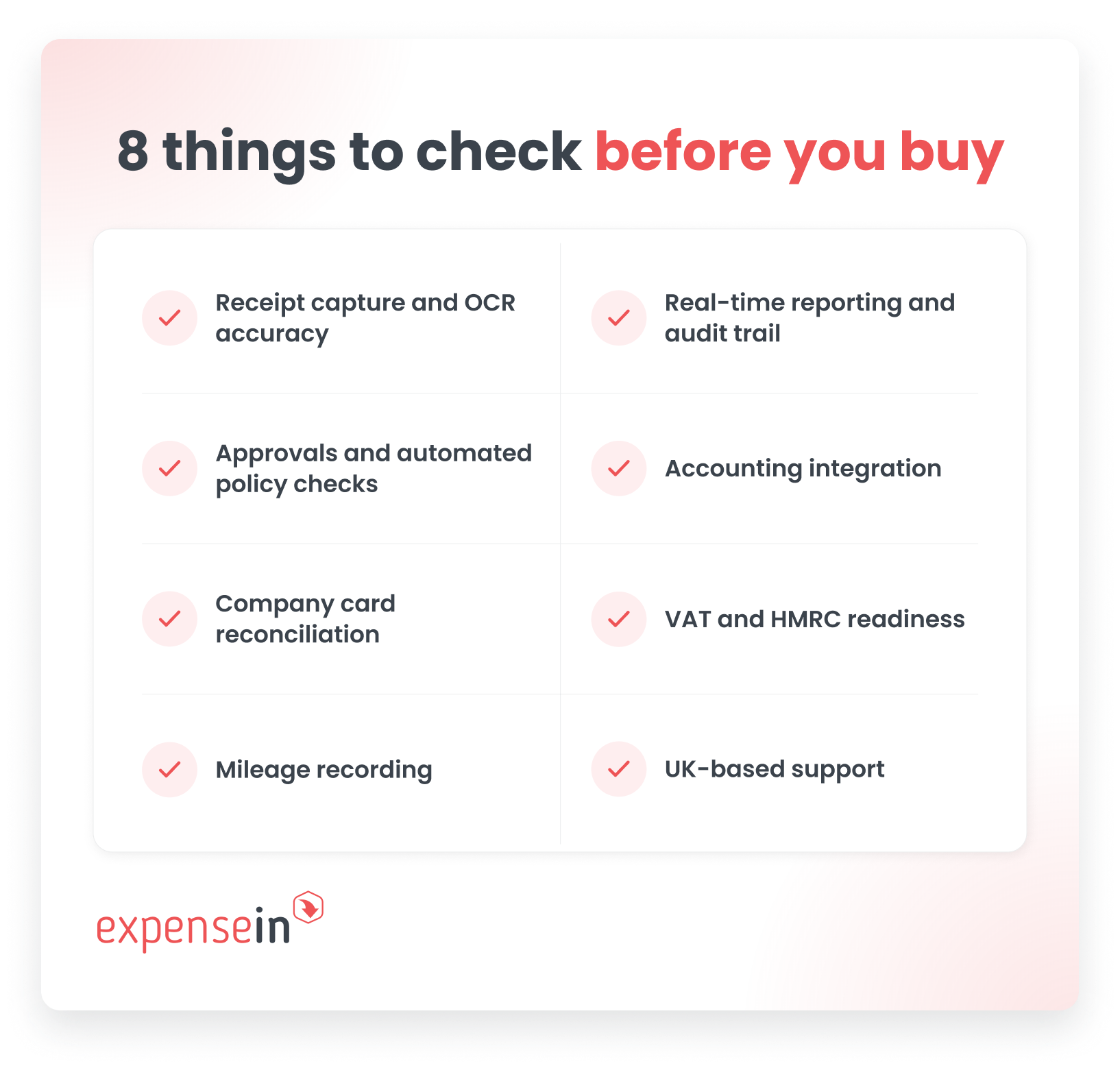 When comparing products, check whether the business expense app can:
Capture and retain a clear image of each receipt
Extract the information finance needs, including VAT data
Maintain a clear history of submissions and approvals
Keep records accessible for the full retention period
Transfer expense data into your accounting software digitally
Preserve supporting receipts alongside the accounting entry
Export records if you change systems
ExpenseIn’s receipt scanning extracts the date, merchant, amount, VAT amount, and currency. It also offers direct integrations that can post expense data into accounting systems, including AccountsIQ, Xero, and Sage Accounting.
The cheapest expense app is not always the lowest-cost option.
A free receipt scanner may cost nothing to download, but it can still leave finance chasing evidence, checking claims manually, and rebuilding reports at month-end.
The useful comparison is:
What does the software cost?
What work does it remove?
What manual work remains?
Will the process still work as the team grows?
Expense software is commonly sold through subscription plans, but the charging model and included features vary between providers.
When comparing prices, check:
Whether charges are based on all users or only active users
Whether approvers and administrators are charged
Whether company cards carry separate costs
Which approval, policy and reporting features are included
Whether accounting integrations cost extra
Whether implementation and support are included
Whether the price changes as usage or entity numbers grow
ExpenseIn, for example, currently groups its offering into Core, Advanced, and Complete plans.
Their plans page shows which capabilities sit within each level, including receipt scanning, policies and approvals, mileage, company cards, reporting, and accounting integrations.
Ask for current pricing based on your organisation’s users and requirements.
A free or low-cost tool may be perfectly adequate when:
You are a sole trader or freelancer
Only one person submits expenses
Receipt capture is the main requirement
No one needs to approve claims
Spending policies are simple or unnecessary
Your accounting software already covers the rest of the process
In that situation, paying for multi-stage approvals and company-wide controls may add little value.
The limitations become more visible once several employees spend on the business’s behalf.
A dedicated expense platform becomes easier to justify when finance needs to:
Apply spending policies consistently
Manage out-of-pocket claims and company cards together
Reconcile transactions and identify missing receipts
Record and approve business mileage
Maintain a clear submission and approval history
The real comparison is the subscription cost versus the time, control, and visibility each option gives back to finance.
The best app on paper still fails if nobody uses it properly.
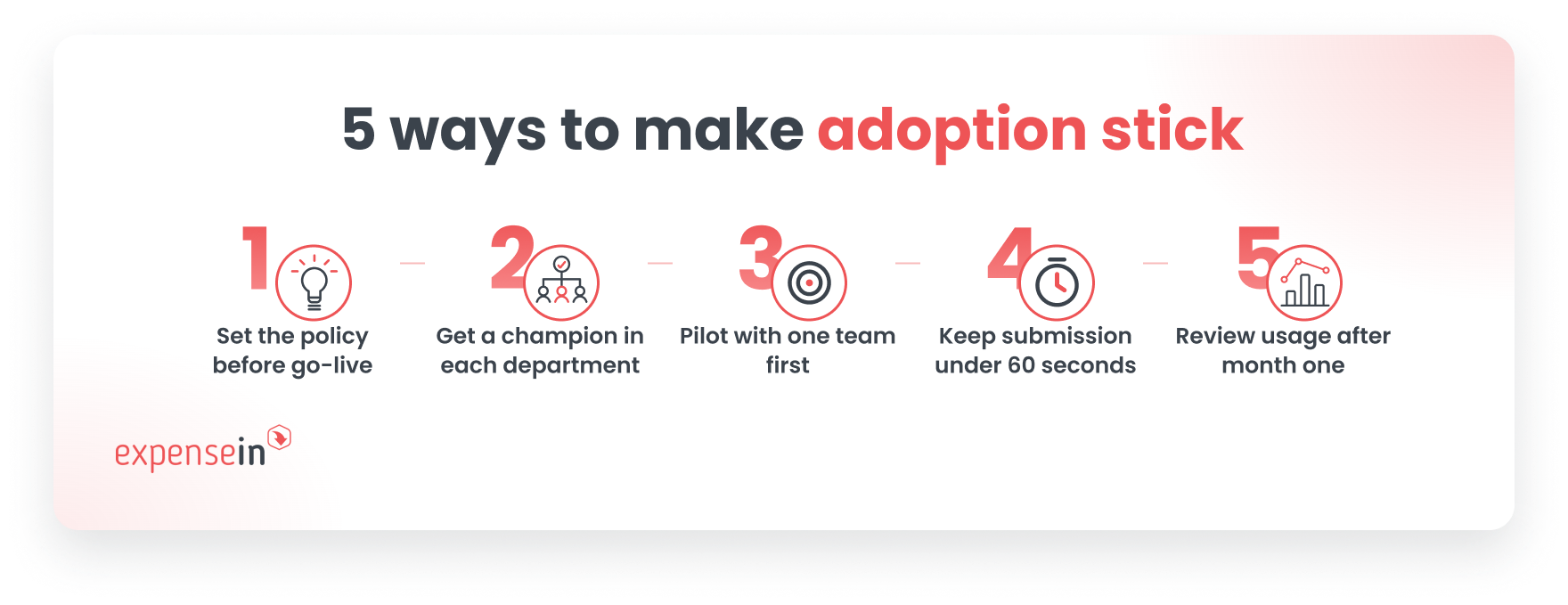 A few things make adoption stick:
Set the policy before you switch on the software. Employees need clear rules on what's claimable, what needs a receipt, and what the approval limits are, before the first claim goes in.
Get a champion in each department. One person who knows the app well and can answer quick questions saves finance from fielding the same query twenty times.
Run a short pilot with one team first. Iron out policy gaps and workflow quirks before rolling out company-wide.
Make submission genuinely fast. If snapping a receipt and submitting takes more than a minute, adoption drops and receipts start going missing again.
Review the data after the first month-end. Use real usage patterns, not assumptions, to tighten policy or adjust approval routing.
It depends on your setup. Sole traders and freelancers usually do well with a simple scanner tied to their accounting software, such as FreeAgent or QuickBooks Sole Trader. Businesses with employees need a full expense management platform that handles approvals, policy, and reporting, such as ExpenseIn.
Receipt scanning digitises a receipt for one person's records. Expense tracking, as part of a full platform, adds approvals, policy checks, card reconciliation, and reporting across a whole team, not just receipt capture.
Not always. If your team is small and spend is simple, your accounting software's built-in expense features may cover it. Once you have employees, approvals, and policy to manage, a dedicated expense layer connected to your accounting software usually adds the control that accounting software alone doesn't provide.
Some scanner apps offer free tiers, and they can work well for a sole trader. Free tiers rarely include the approvals, policy enforcement, and reporting a team needs, so most businesses with staff end up on a paid platform once headcount grows.
Yes. Most modern expense apps, including ExpenseIn, are built mobile-first, so employees can photograph a receipt and submit a claim from their phone as soon as they spend.
A good app extracts VAT details automatically from a receipt, stores digital records for the length of time HMRC requires, and keeps a clear audit trail of approvals. That combination keeps a business inspection-ready without extra manual admin.
See how ExpenseIn gives finance control over claims, company cards, and mileage in one place by booking a quick demo.
Learn how expense reimbursement works in the UK, what HMRC rules apply, what evidence to keep, and how finance teams can control claims and approvals.